D365 HR Any Good?
How good is D365 HR is the kind of question you see pop up in frequently used searched terms for Microsoft Dynamics on the internet, it is after-all the kind of question someone researching ERP software might ask when looking into D365 and its HR capabilities, and one worth asking of any ERP product to see what the general consensus is.
Historically and with 20 plus years of experience behind us we have seen it all and earlier versions of Dynamics such as Axapta, AX2007, AX2008, AX2012 etc had a functionality set that frequently required extension. This saw a multitude of MS Partners developing similar solutions to address limitations in such areas as Absence Management, Organisational Management, Succession Planning and lots of tweaks here and there that might suggest in a random internet search that D365 HR had a rather limited feature set. But note things have moved on – quite dramatically.
Several MS Partners pushed ahead with their developments and Microsoft actively encouraged this approach promoting vertical solutions that could be added on to the core product offering – basically Add-ons that could be purchased separately.
Fourvision were a good example of a D365 reseller with this type of approach, Microsoft recognition and acquisition of licensing rights followed which resulted in a very welcome series of releases of proven functionality that turbo charged Dynamics HR capabilities almost overnight.
As HR began to gain more recognition within the workplace, Microsoft shifted gear and for several years HR became one of Microsoft’s largest areas of investment with tranches of development released in their twice yearly deployments.
False Start
In our opinion Microsoft had a bit of a false start when they split out HR functionality into a stand alone version that they branded Microsoft Talent, which could be integrated to the wider D365 Finance & Operations functionality.
A complex integration tool was designed to facilitate a seamless integration between the two products but for several reasons it never quite matched up to its promise. Integrations are complex and with people been a core part of an organisation particularly now workflows are such a critical part of most business processes this batch like approach was a backward step. It’s a noteworthy point for any considering a stand alone version of HR with a different core ERP business solution – if Microsoft with their resources cannot do it well what chance have others? Read more about our views on this here.
All the new features began to change how Microsoft Partners approached D365 projects, the focus switched from having to fill functionality gaps to a more consultative approach with configuration and process improvement now the main focal point.
This saw a dramatic reduction in the amount of development that was called for from users, software development in most organisations is viewed with some scepticism but noting Microsoft’s built in development and management tools, the ability to develop and still effectively manage an ERP product was a powerful selling point of Dynamics. However it still carried a cost burden on users and a frustration amongst a user base that expected certain functionalities to be a given (see our guide to software selection read more here).
Back in the Fold
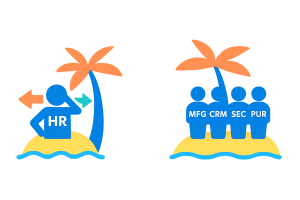
Dynamics 365 saw a welcome return of Human Resources seated back in the wider ERP offering with new standard features, available form the cloud, with features offered as menu options ready to be activated as and when required.
Development is still an option and managed in a way that has evolved even more than the original ground breaking approach we saw introduced to ERP back in the days of AX2008 to AX2012.
Personalising D365
New tools with a user friendly approach in the form of Personalisation’s have revolutionised the way (as the name suggests) personalisation’s can be deployed amongst a user base, managed by security and user groups these enhance the user experience whilst still adhering to security standards allowing GDPR compliance to be maintained
Development is still an option but now we are seeing a move towards rapid development tools, Power Apps and such as our own Rapid Developer product
Configurable flexibility
You can configure D365 HR in so many different ways, do not make the mistake that configuration is development – it’s not.
Features when activated will allow users to access additional data tables where they can input their own values and use the functionality built around these activated features as appropriate.
This configurability is important and often overlooked, for example a business may simply not have the internal staffing resources available to deploy a piece of functionality that they like but can’t deploy – basically no one to manage it. That functionality does not need to be deployed and will not need configuring until the business is in a position to do something with it.
Configuration Example
A basic example would be absence management. HR Absence Administrators can define any number of absence codes, these codes can be used to analysis a sickness event but an additional lower level of analysis is available under absence reason codes, used to identify specific types of sickness event.
In a business where a lower level of analysis is not required this functionality does not need to be set up (why bother if it requires additional user configuration, user entry and additional keystrokes). However down the line it may become a requirement in which case the feature is only then activated, with tables configured and users trained but only at that point in time.
Take that a step further and workflows can be used to pick up on the reason code values with user defined criteria to trigger new authorisation and approval processes, for example they can prompt a back to work or keep in touch (KIT) routine based on the values entered.
This flexibility makes D365 HR suited to businesses or organisations great or small with complex or simple requirements its why D365 should be considered on anyone’s software shortlist.
Development flexibility
Dynamics has always had ground breaking development capabilities, historically the concern was how development could be added to your implementation without impacting the ability to deploy later releases of the standard product. The Microsoft approach was described similarly to that of the layers of an onion – Microsoft core sits in an inner ring and around that unaffected by whatever happens to the core your own developments sit.
This future proofs what once was a very real issue, note that there is still work to do when upgrading and it does not all happen magically or without planning but it works and works very well when managed correctly.
Part of a wider ERP solution
A golden thread of any ERP system is people, and with workflow such an important part of modern thinking business anything that effects reporting lines, authorisation or action notifications needs to happen instantly. With a fully integrated solution in Dynamics 365 and its HR functionality everyone knows as soon as an event has been triggered and this is the key.
With rich functionality and highly configurable processes that follow the Microsoft mantra of ease of use that promotes adoption by its user base – we are confident that the answer to the question at the top of the page is a resounding ‘Yes’
Part of the Microsoft Eco-System